
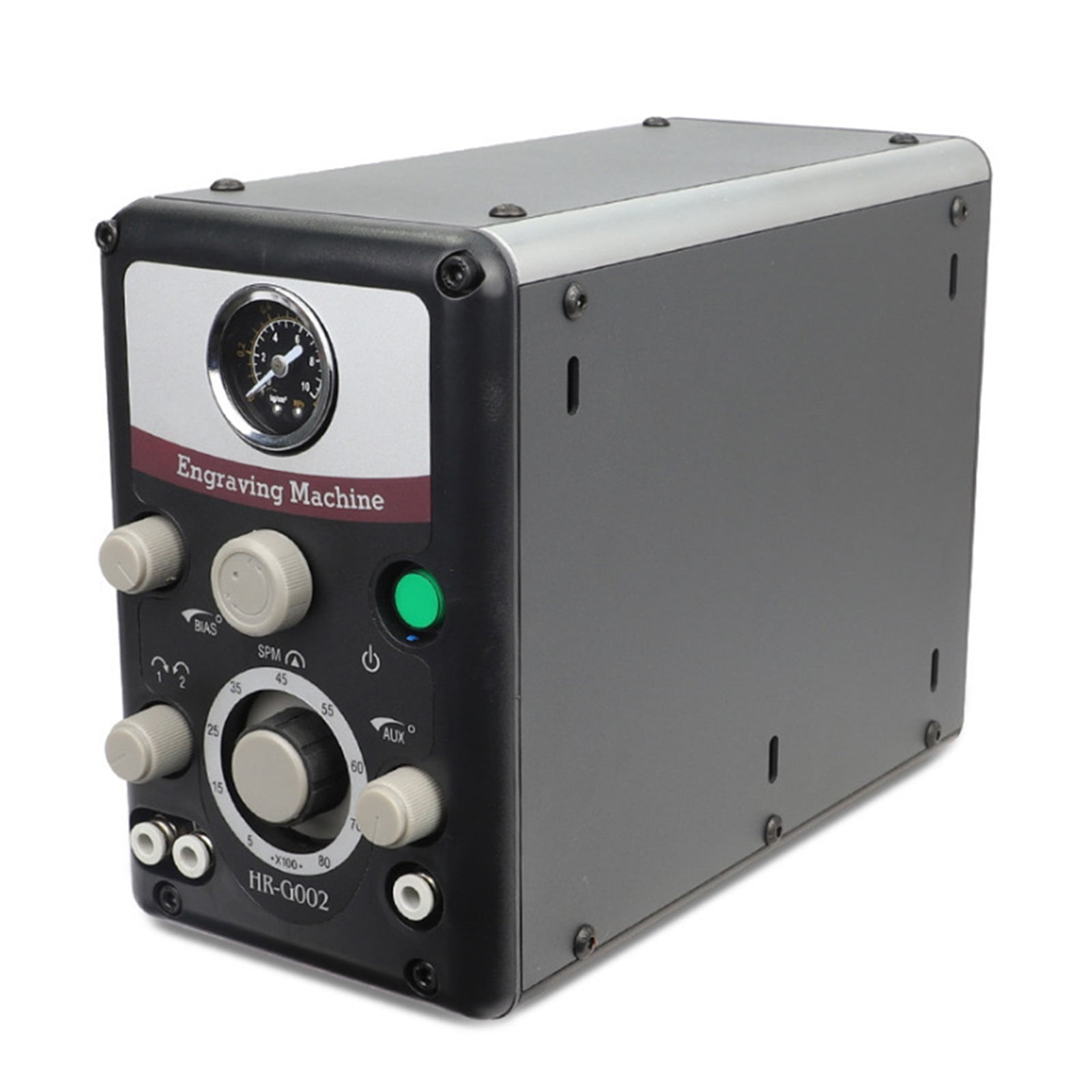
Type 0-8000 Strokes /min Pneumatic Engraving Tools Jewelry Engraving Machine Graver Machine Rated 4.7 /5 B
US$250.76
Price when purchased online
Free shipping
Free 30-day returns
Sold and shipped by ogadaikedesigners.com
We aim to show you accurate product information. Manufacturers, suppliers and others provide what you see here.
US$250.76
Price when purchased online
Free shipping
Free 30-day returns
Sold and shipped by ogadaikedesigners.com
Free 30-day returns Details
Product details
| Management number | 231179755 | Release Date | 2026/06/18 | List Price | US$250.76 | Model Number | 231179755 | ||
|---|---|---|---|---|---|---|---|---|---|
| Category | |||||||||
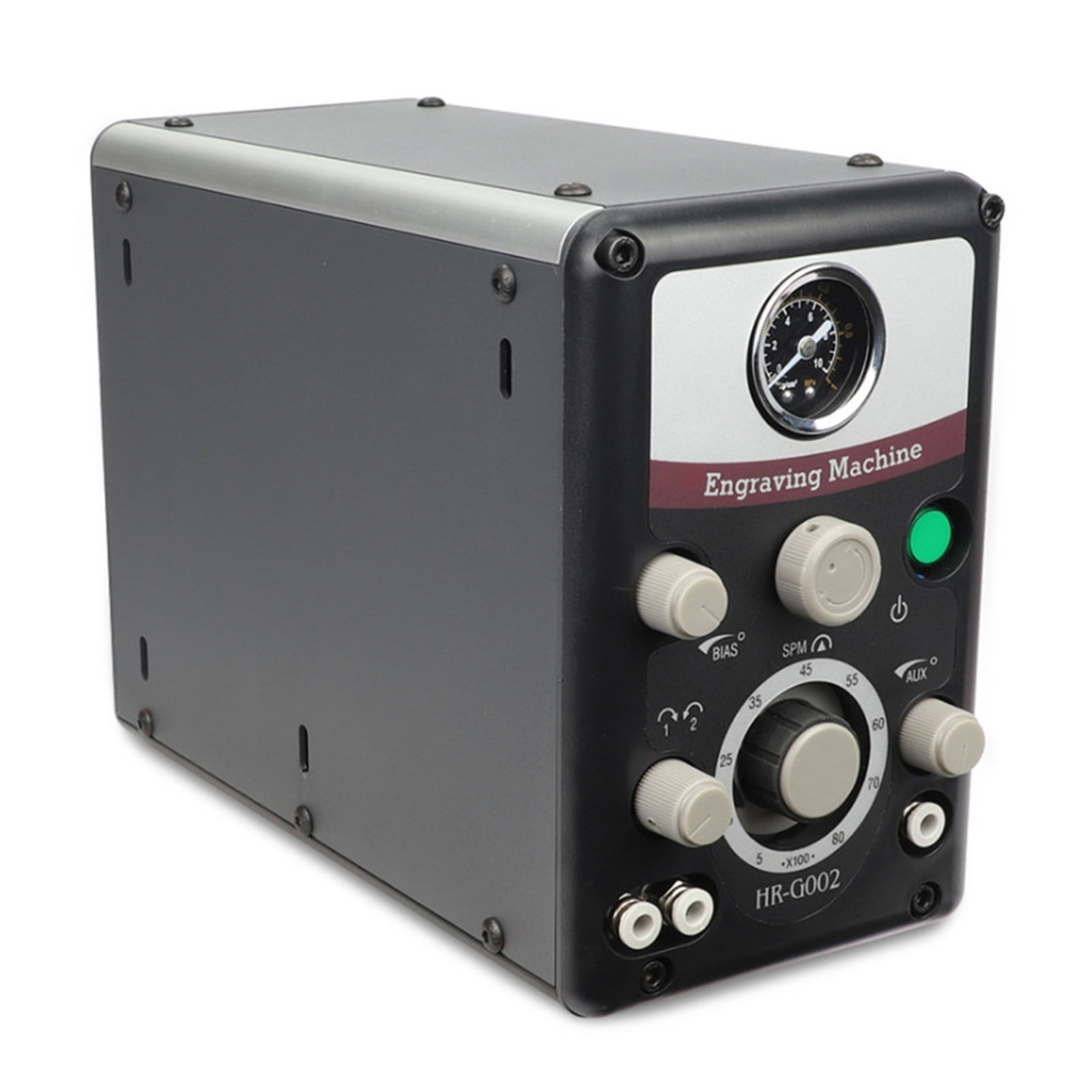
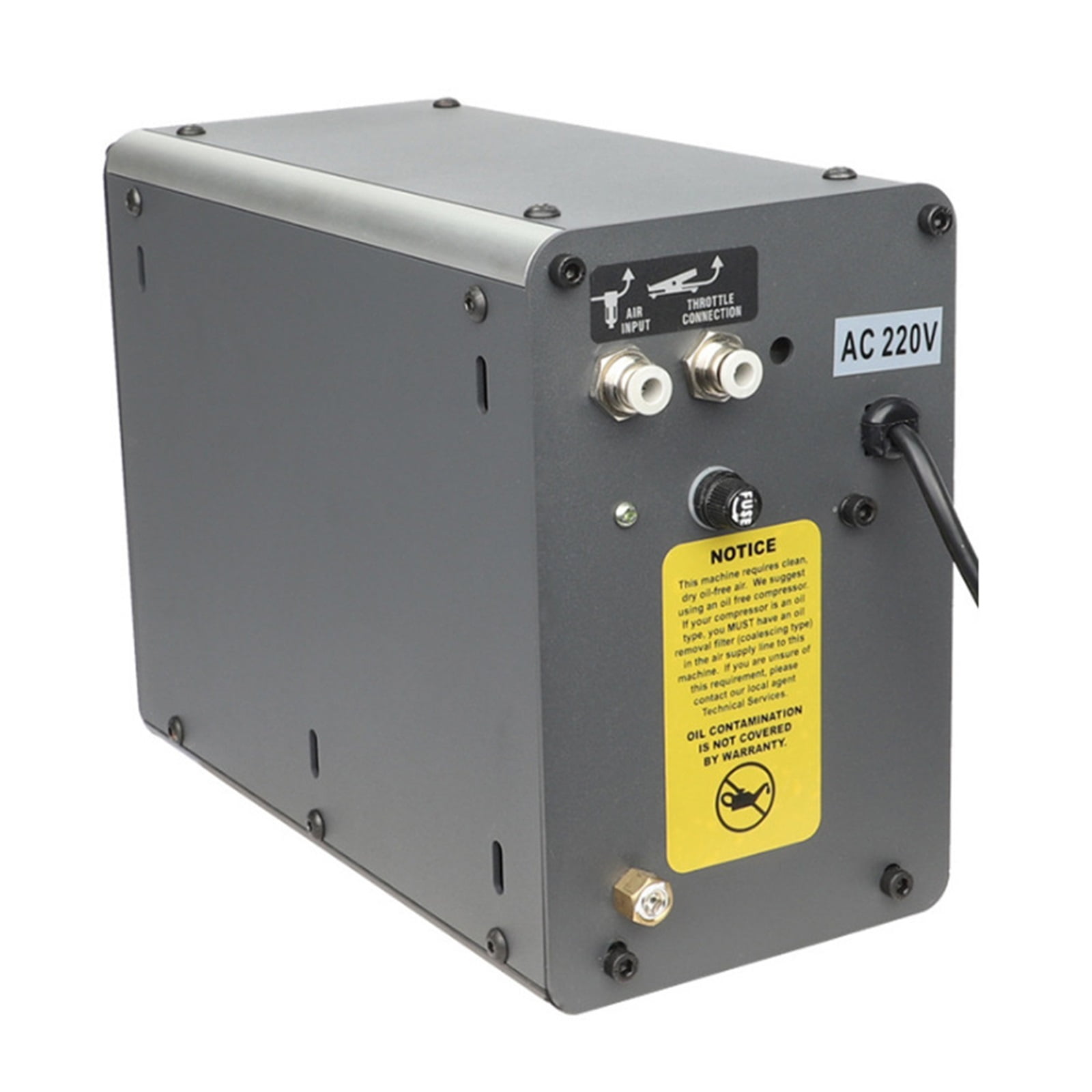
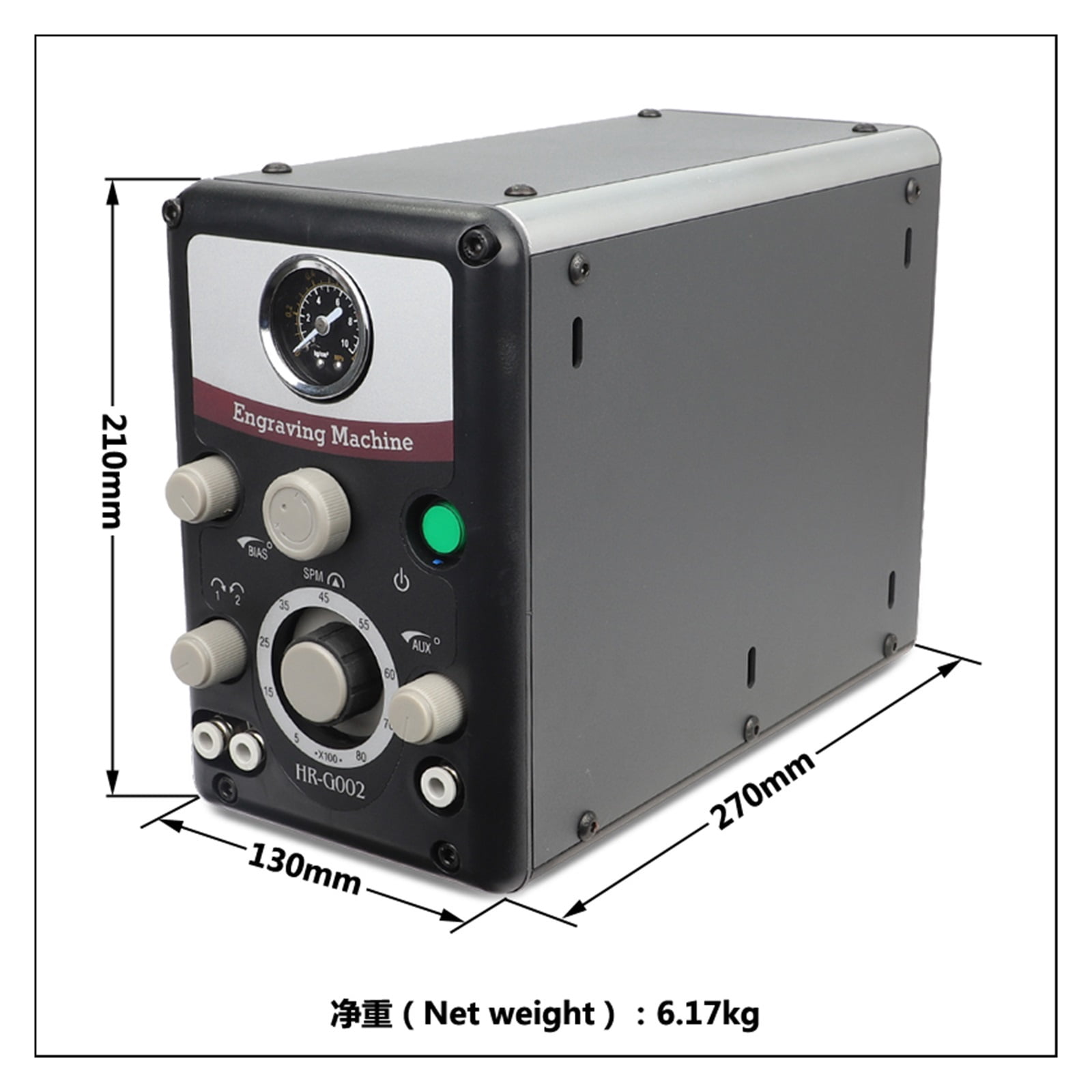
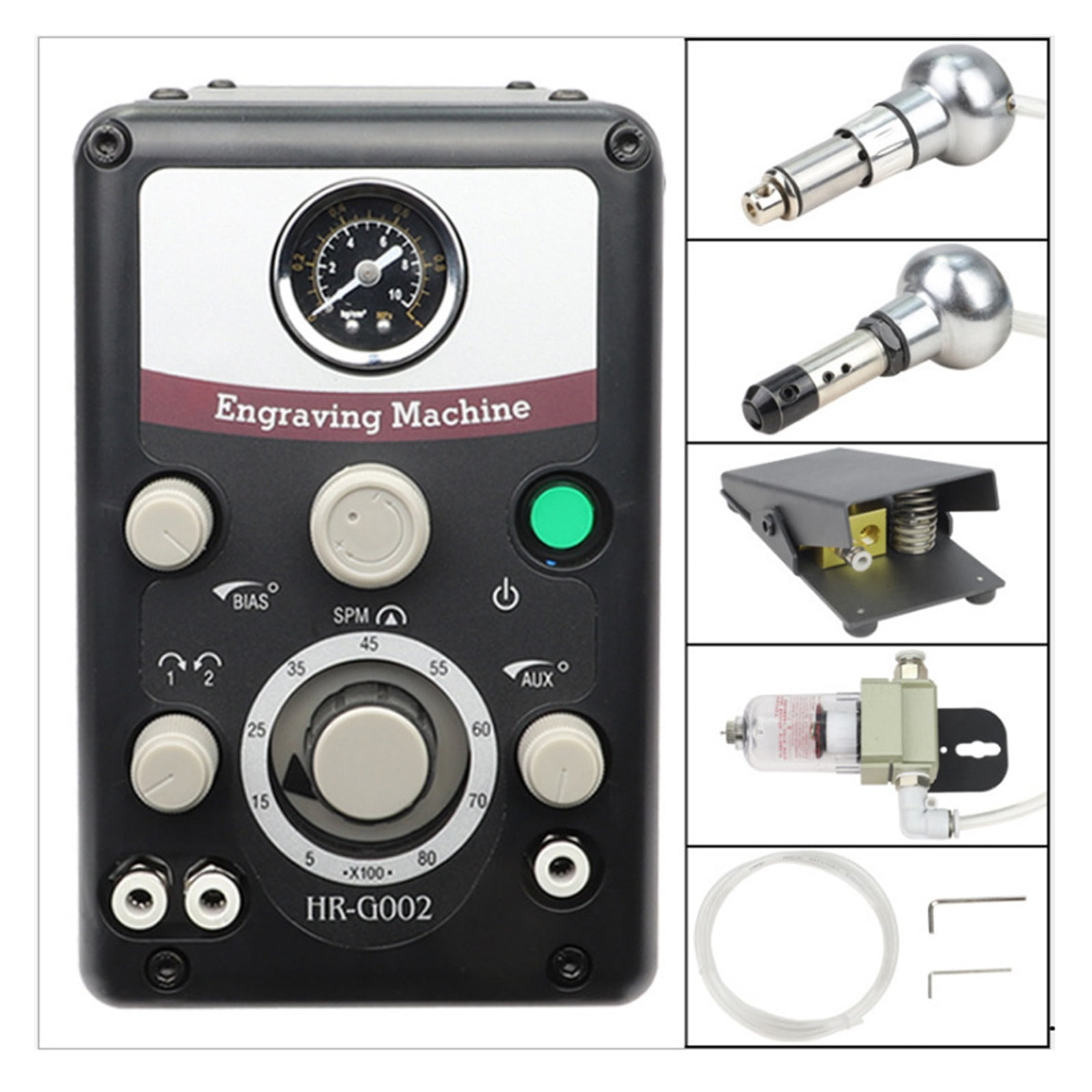
<p>Handpiece working speed :0-8000 strokes /min</p><p>Range of air pressure display : 0-1MPa/0-10kg/cm2</p><p>Dimension :29*13*21cm </p><p>Packing dimension :37*28*28cm</p>
- Shipping weight :9kg
- Packing list:
- 1*1PCS HR-GOO2 Pneumatic Engraving Tools
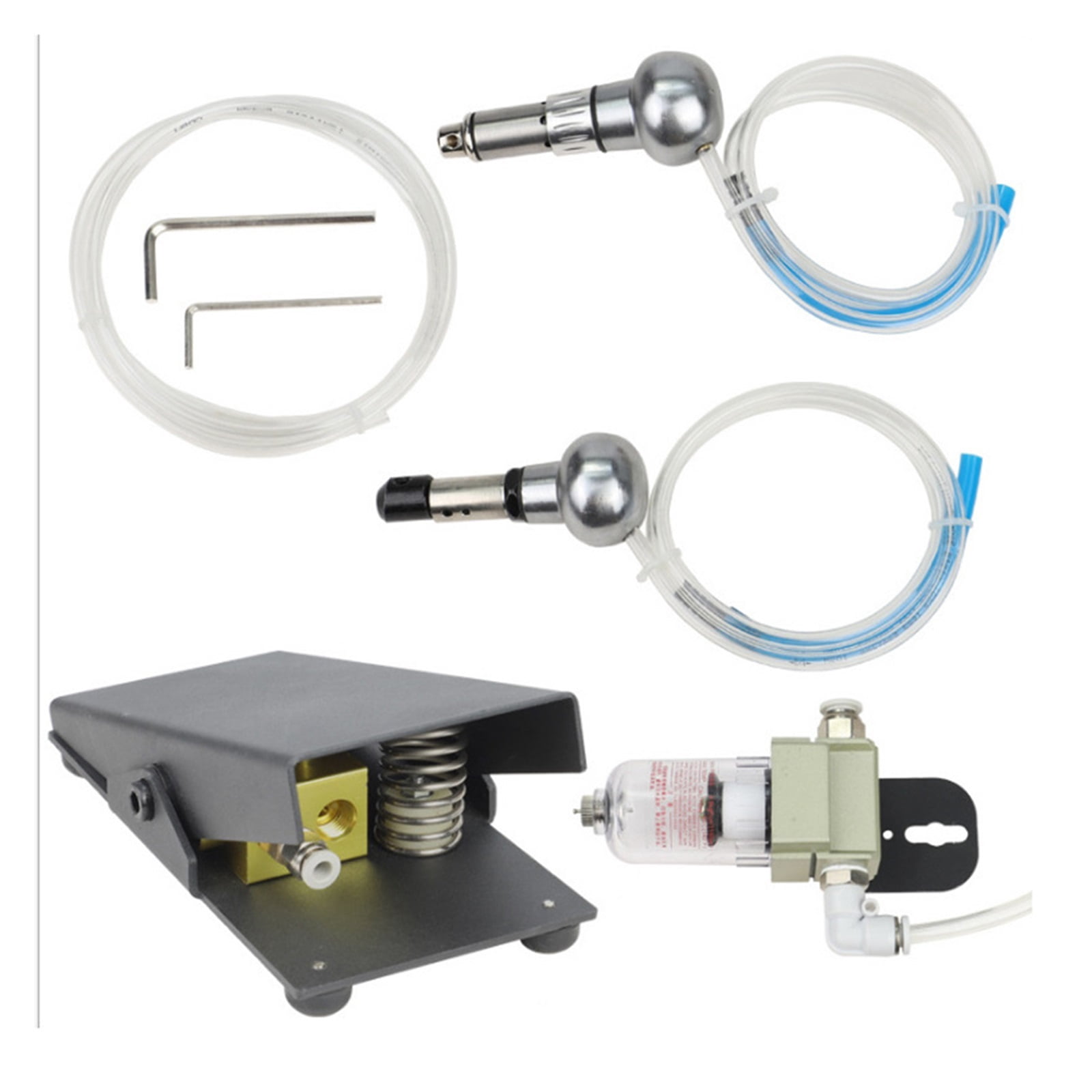
- 1*1PCS Accessories (pictured)
- Precautions:
- Reducing valve and water filter bet - ween air compressor and engraver to improve performance .
- ( 1)Switchoff the pressure knob and rotary handle switch to avoid damage on pressure gauge and reducing valve .
- ( 2)Plugin and switch on .( theindicator light will show )
- ( 3)Setthe switch button to position 1 or 2 .
- ( 4)Adjustthe air pressure and rotary speed ,hold the engraving handle ,push the foot pedal down to maximum ,slowly spin the pressureknob until the pressure gauge points to 1 .5-2kg/cm2,also ,adjust the rotary speed at the same time to greaten the impact force
- ( 5)The adjusting switch can replace the pedal .After you tune the handpiece ,notice that the handpiece starts working as you press down on the foot throttle .Add one or two pounds of air pressure control knob .Now , open the bias control by turning it counter-clockwise and notice that it does not take as much pressure on the foot throttle to activate the handpiece .The bias control allows you to adjust the foot throttle action so you can predict the moment the handpiece will start ,giving you optimum handpiece control .This is a feature that one would use for fine detail work such as bulino or shading .By opening the bias control fully ,you will find that the handpiece will start to work without pressing on the foot throttle . You may find this function for some operations such as stippling .
- ( 6)Loosethe foot pedal ,engraving handle will stop working ,install the cutter as the picture below .
- ( 7)Workwith the large /smallengraving handle alternately ;spin the rotary ,handle switch to position 2 and 1 .
- ( 8)Controithe impact (lightto heavy )withthe opening of foot Pedal (smallto large )
| Engraver type | Engravers |
|---|---|
| Features | Adjustable Speed |
| Accessories | 1*1PCS Accessories (pictured) |
| Brand | Dag |
| Assembled product height | 21 cm |
| Has written warranty | No |
| Model | HR-GOO2 |
| Piece count | 1 |
Bestseller ranking
Jewelry Making Tools
Customers who viewed this product also viewed
Rod End Bearings


![2pcs CM10 Rod End Joint Bearing - [5/8" Bore, 5/8-18 UNF Right Hand Thread] Male Rod End with Jam Nuts, 45# Carbon Steel](https://m.media-amazon.com/images/I/71izUI04MbL._SL1500_.jpg)


Correction of product information
If you notice any omissions or errors in the product information on this page, please use the correction request form below.
Correction Request Form